A powerful, open-source agent inside Excel
If you use a “coding” agent to do research, write reports, or build things: you know they can do way more than write code. Pi for Excel puts some of that power inside your spreadsheets, where you can actually work with it interactively. No account needed: login with wherever you get your AI from.
Install itFree & open source. View on GitHub
Sees what you see
Excel is both your calculator and your interface. This gives your agent that same interface.
Pi for Excel reads the actual workbook: the structure, the formatting, the formulas, your current selection. It doesn't need an export and you can see it work in real time. It's working in the same place you are.
Built for real work
Multiple session tabs, conversation history, auto-context on every turn, any model you want. Built-in multi-provider web search and page fetch help you cross-check assumptions quickly.
Between saves, every edit gets an automatic checkpoint with one-click undo.
Make it work exactly how you want
I have very specific opinions about how my spreadsheets are set up. You might too.
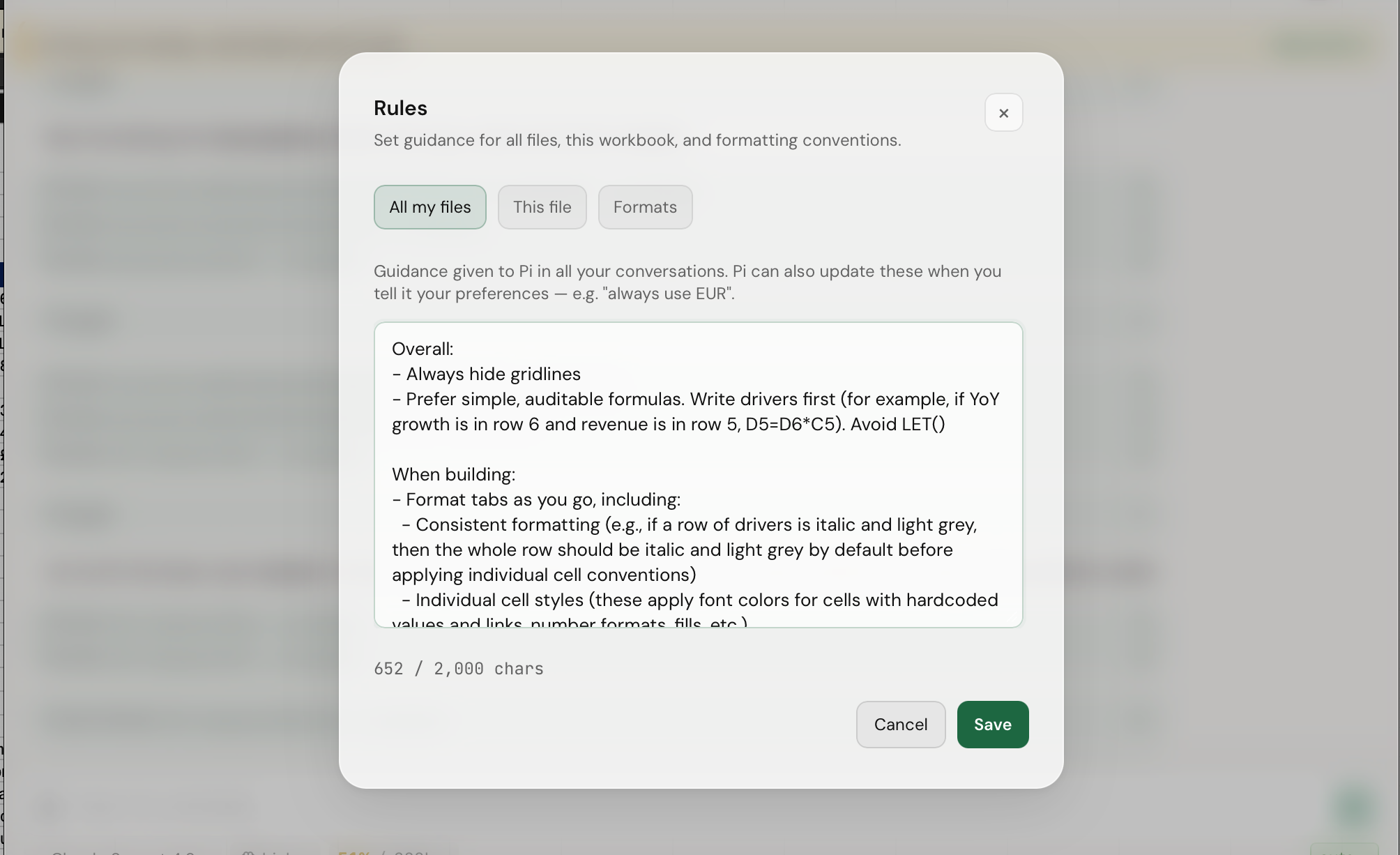
Set your format conventions once and they're baked into Pi's tools. Give it Skills and files. Set house rules for yourself or specific files — like AGENTS.md and CLAUDE.md, but for spreadsheets.
Ask it to extend itself
You can ask Pi for Excel to build its own extensions — sidebar widgets, sub-agents, live data feeds, specialist tools, SaaS integrations. Extensions can call LLMs, fetch HTTP data, persist storage, and register tools through the built-in bridge.
Examples coming soon — we're collecting real ones from actual use.
Download one file, drop it in a folder, open Excel. If you have an agent like Claude Code or Pi handy, you can just ask it to do all of this for you.
1 Download the manifest
This small file tells Excel where to find Pi. It's the only thing you need to download.
manifest.prod.xml2 Copy it to Excel's add-in folder
Open Terminal and paste this. It creates the folder if needed and copies the file.
$ mkdir -p ~/Library/Containers/com.microsoft.Excel/Data/Documents/wef && \
  cp ~/Downloads/manifest.prod.xml ~/Library/Containers/com.microsoft.Excel/Data/Documents/wef/
~/Downloads/ to wherever you put it.
3 Open Pi in Excel
- Quit Excel completely (⌘Q) and reopen it
- Go to Insert → My Add-ins
- Click Pi for Excel to open the sidebar
1 Download the manifest
Same file — a small config that tells Excel where to find Pi.
manifest.prod.xml2 Upload it in Excel
- Open Excel
- Go to Insert → My Add-ins → Upload My Add-in…
- Select the
manifest.prod.xmlfile you downloaded
3 Open the sidebar
Click Open Pi in the ribbon.
No provider picker, no OAuth login, no local proxy — just a custom OpenAI-compatible gateway.
Custom gateway Only way to connect a model
In the sidebar, open /settings → Gateway, and set the endpoint URL, model, and API key. Save, then pick the model from /model.